Who this is for
Best for teams that…
- Handle the same support questions repeatedly across email, chat, or WhatsApp.
- Process invoices, contracts, or forms manually.
- Rely on key people to glue tools together with manual steps.
- Make decisions based on spreadsheets that are always slightly out of date.
- Want fewer errors and faster processing without expanding the back office.
What we automate
We typically automate:
- First-line support for FAQs, simple requests, and order or booking checks.
- Ticket or request routing based on topic, priority, and channel.
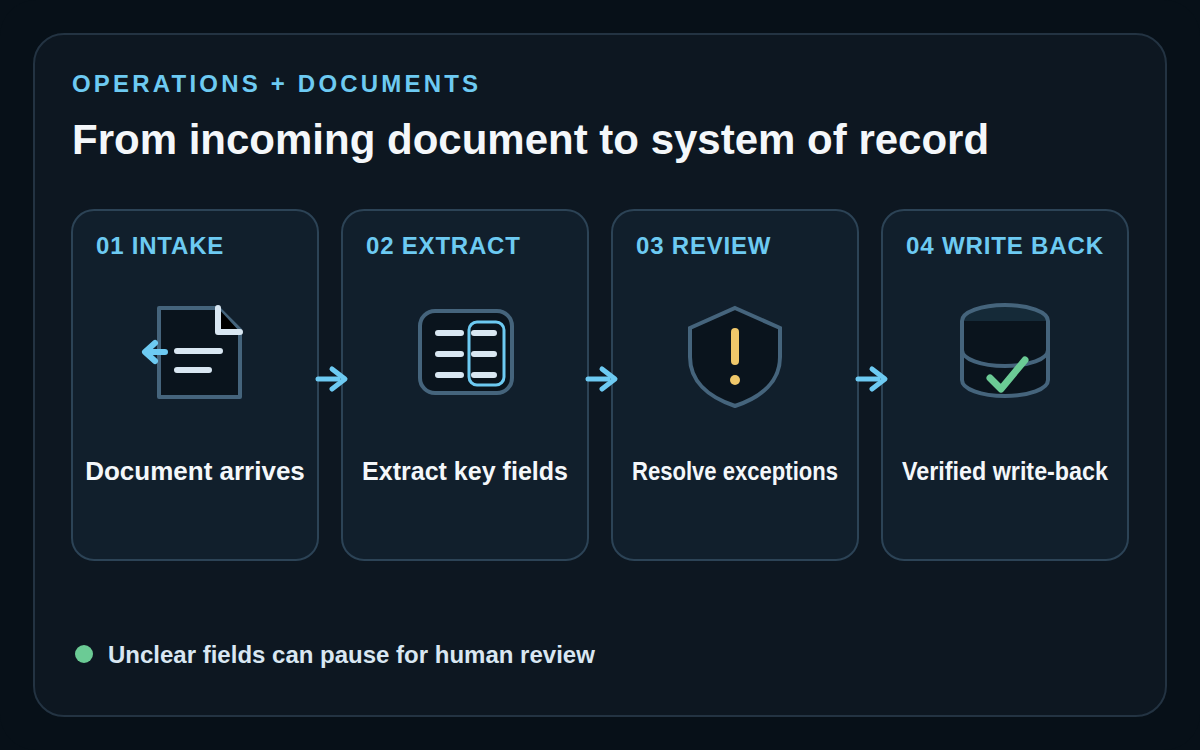
- Invoice, receipt, contract, and form data extraction with validation rules.
- Structured exports into accounting, CRMs, ERPs, or custom dashboards.
- Payment reconciliation and document-based workflows.
- Internal alerts, summaries, and KPI reporting across Slack, email, or Telegram.
Before vs After
- Support teams spend hours answering the same questions.
- Documents pile up and are processed slowly and inconsistently.
- Admin work steals time from higher-value projects.
- Routine requests and FAQs are handled quickly, with clean escalation to humans.
- Documents are processed consistently into structured data by default.
- Admin load drops and the team can focus on true exceptions.
Example workflows we build

Support automation assistant
We automate handling of repeated questions, order status checks, and basic policy answers, and escalate only the cases that genuinely need a human.
Invoice and document processing
We set up flows that read invoices, receipts, and documents, extract the right fields, validate them, and send them to your accounting or internal tools.

Internal ops alerts and reporting
We build automations that send regular summaries and exception alerts to your team, so you know what is happening without pulling reports manually.
Case Studies
 Andrea Ercolessi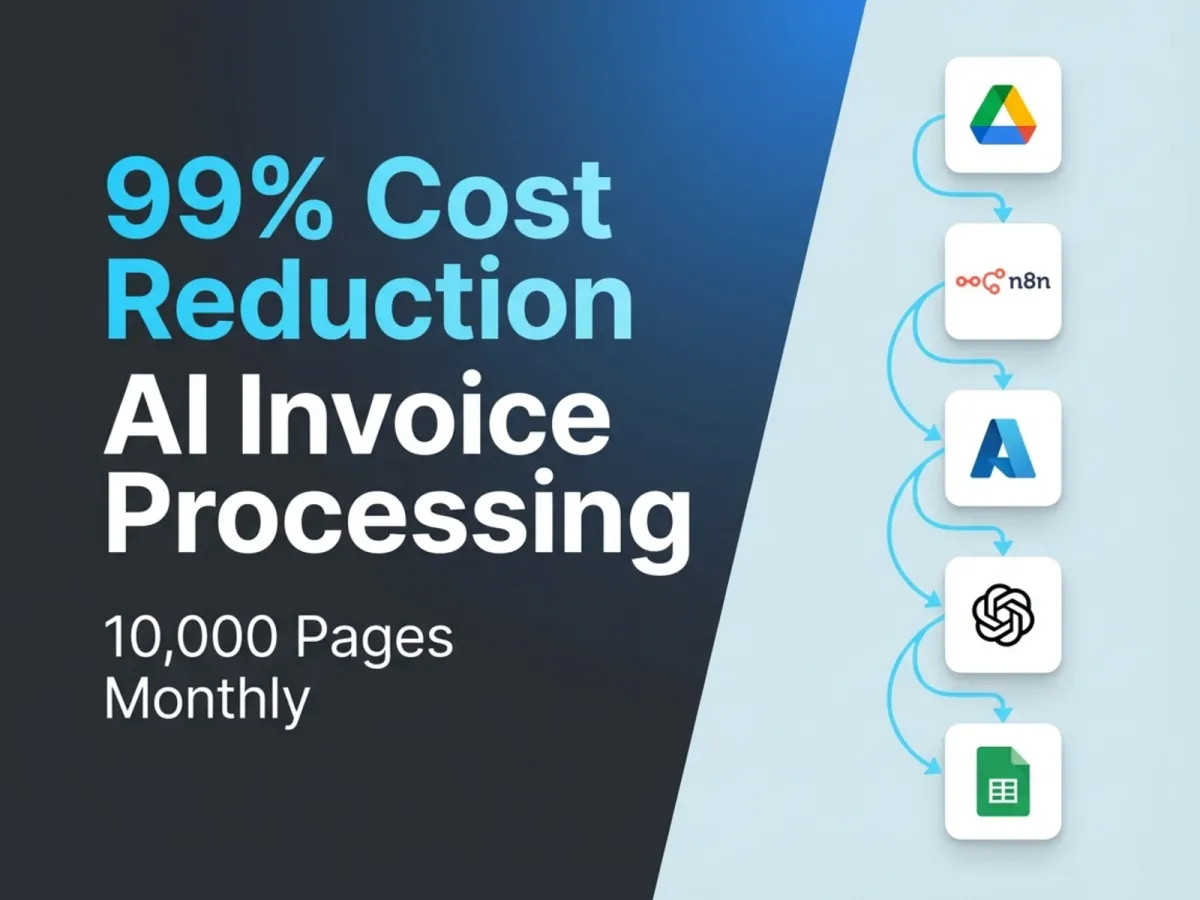
How The Project Works
Focused assessment
We start by reviewing the current workflow, ownership, tools, written knowledge, SOPs, volumes, constraints, and failure points. If the process is not clear enough to automate, we design the process first.
Success and acceptance contract
Before implementation, we define the scope, success measures, acceptance criteria, edge cases, and must-not-do rules as a client-approved delivery checklist.
Build, test, and document
We build against that checklist, test with representative data and failure states, document the system, and share evidence as each accepted outcome becomes real.
Acceptance and next opportunity
We verify the agreed checklist with you, complete handoff and support, then include a free post-delivery business audit to identify the next meaningful implementation.
Sales & Follow-up FAQ
What support tasks should AI handle, and what should humans keep?
We design support flows so AI takes care of repeated, low-risk questions and lookups, and humans handle exceptions, edge cases, and relationship-heavy conversations. We map your support topics and only automate what makes sense.
How do you manage accuracy for invoices and documents?
We combine OCR and AI with validation rules and, where needed, human review steps. The system flags anything uncertain or out of range so your team can verify it instead of retyping everything.
Can you connect this to our existing tools?
Yes. We integrate with accounting software, CRMs, project tools, databases, and internal dashboards. Our goal is to fit into your stack, not rebuild your company around a new tool.
What data or access do you need from us?
We usually need sample documents, an overview of your current workflow, and secure access to the tools we’re integrating with. We keep credentials and data handling structured so you stay in control.
Can we start with just one workflow?
Absolutely. Many clients start with a single process that hurts the most, like invoices, support tickets, or one type of form. Once that’s stable and saving time, we extend the same approach to the rest of your operations.